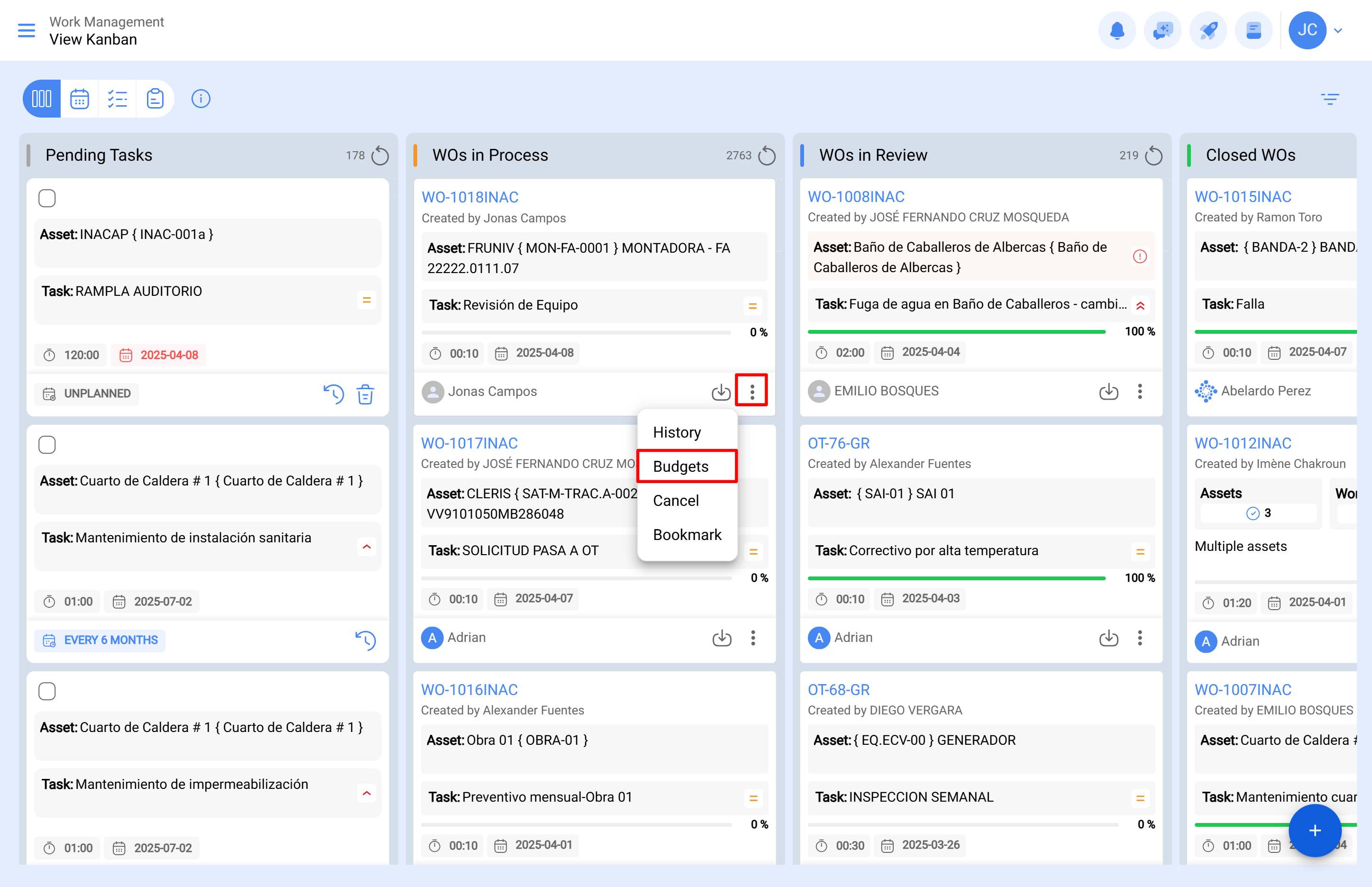
A work order subject to budget approval cannot be edited until a budget has been added and approved. To add a budget, click on the budget icon that appears on the work order (this icon only appears on work orders created with this option).
Then, upon clicking, a new window will appear where you must add the different budgets associated with the execution of the work order.
Finally, once the budgets have been added, you only need to approve them, which can be done directly from the Work Orders module or the Budgets module.
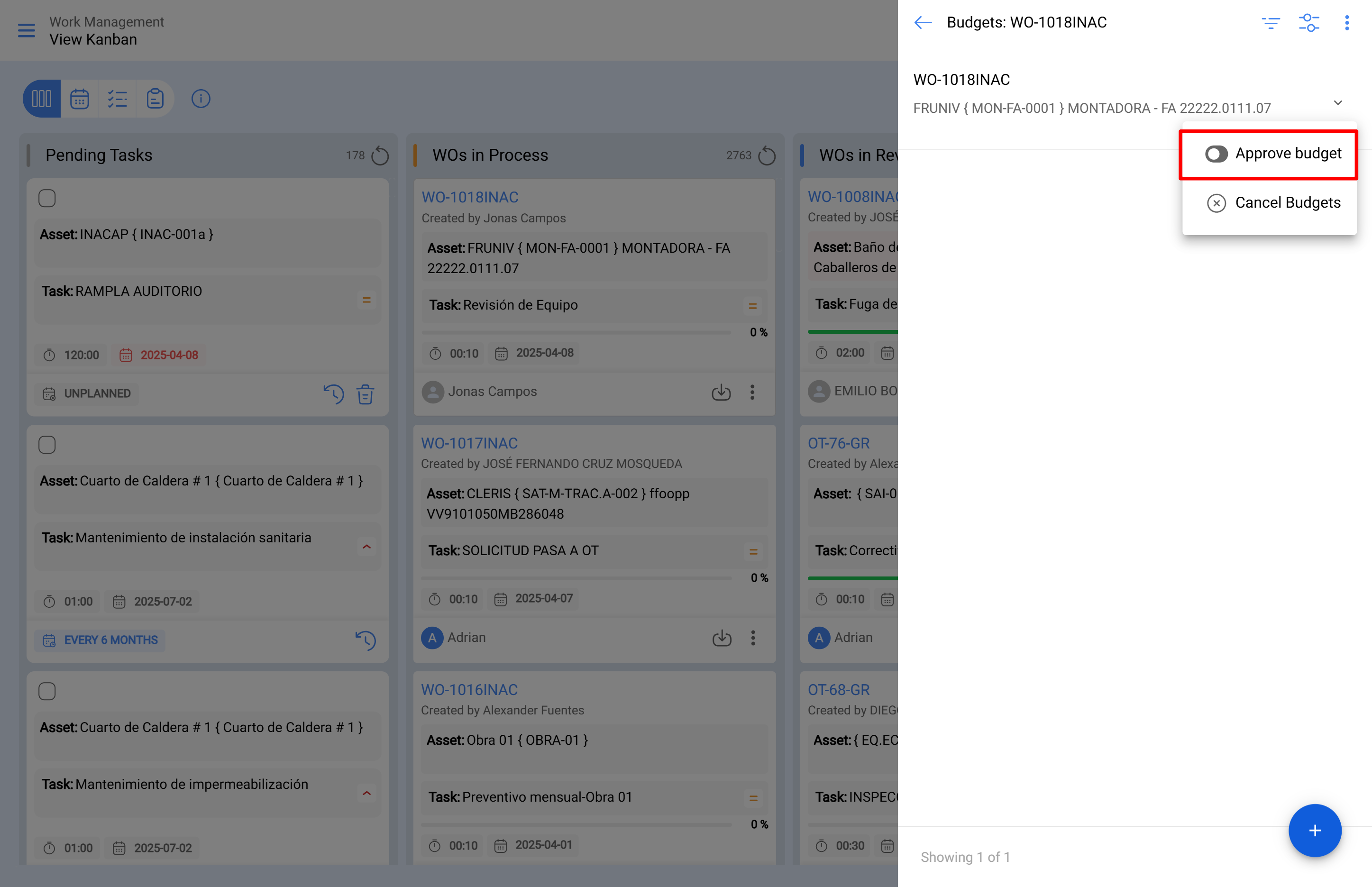
Budget Approval from the Work Order
Within the selected work order, select the budget option. A side panel will open showing the assigned budget and the option to proceed with approval.
 Budget Approval Directly from the Budget View
From the main menu, go to the "Tasks" module and then "Budgets." Locate the appropriate budget in the list and click the icon to proceed with approval.
Then, upon approving the budget (via either option), the user who performed the approval will be indicated, along with a comment.
Finally, the work order will be enabled for editing and execution.
Note: Upon approving a budget, it will not automatically be reflected in the resources added to the work order.